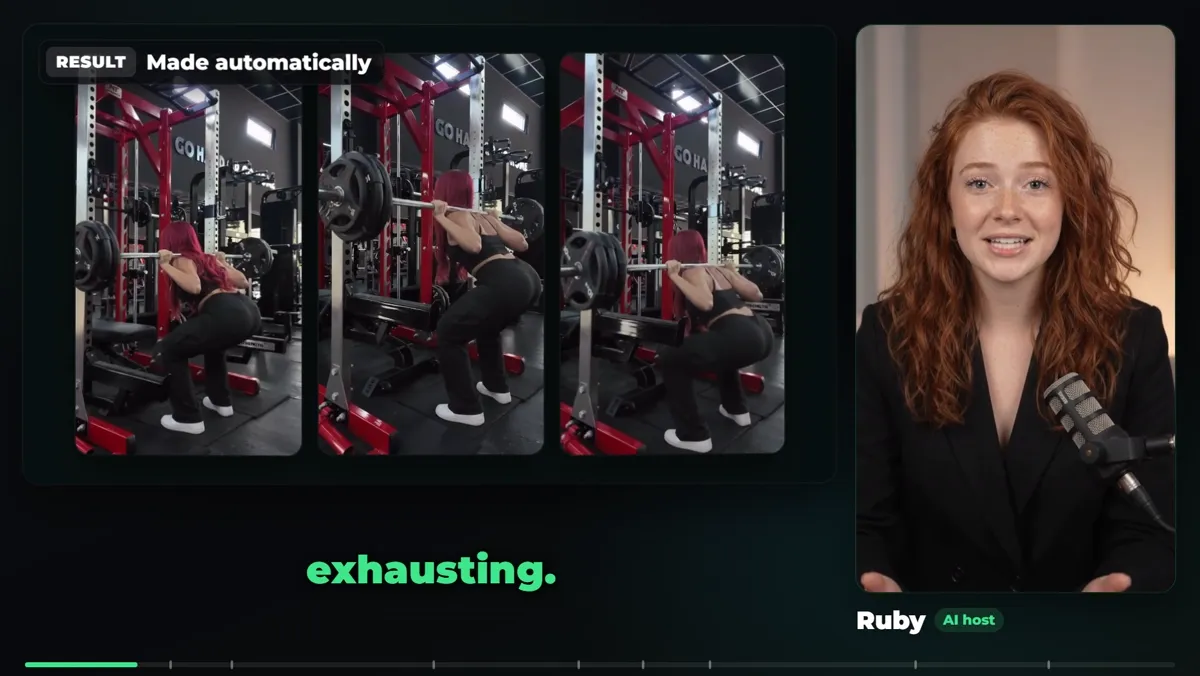
TikTok Shop rewards accounts that post often, and filming yourself every day is exhausting. This guide shows the AutoFlow Motion pipeline that turns one short source video into a set of AI videos for TikTok Shop, presented by the same AI character every time, plus a 5-day plan to get your first posts out.
Why AI videos work for TikTok Shop
- No camera. A faceless account can still have a face: your AI character.
- Volume. One source video becomes several clips without reshoots.
- Consistency. The same character in every video builds a recognisable account.
Step 1: open AutoFlow Motion and choose your video
AutoFlow Motion sits on the right side of Google Flow. Choose the source video with the movement you want. A 24-second source is split into three 8-second pieces, because that is the length AI video models generate best.
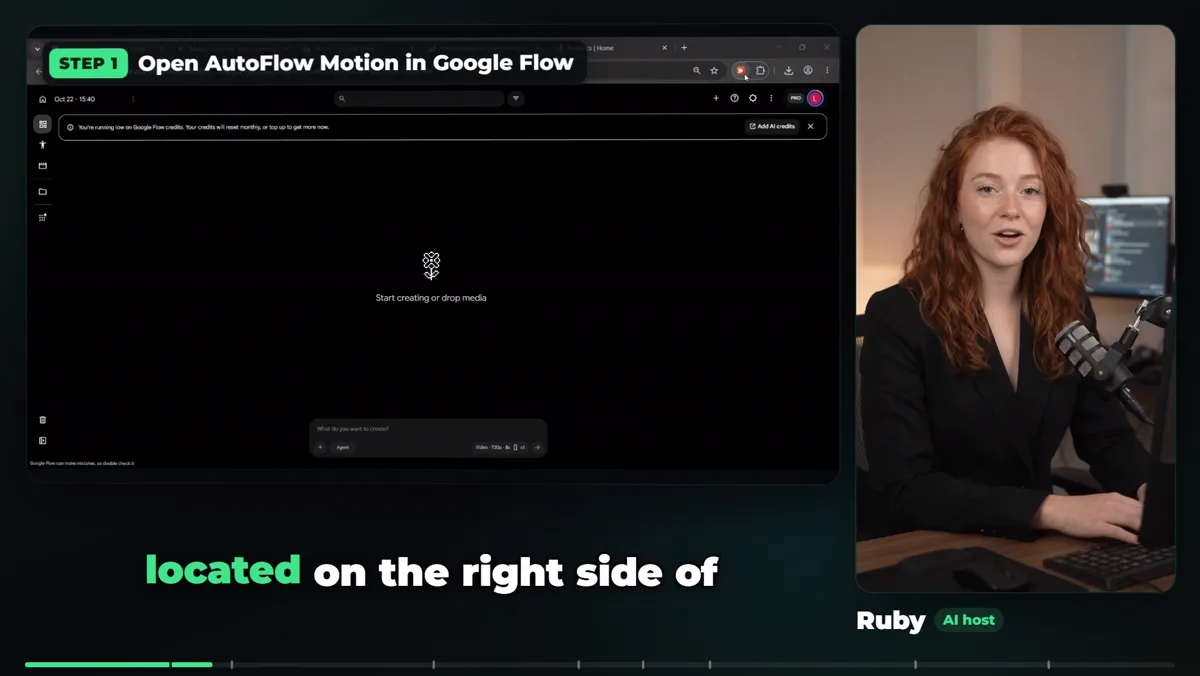
AutoFlow Motion on the right side of Google Flow.
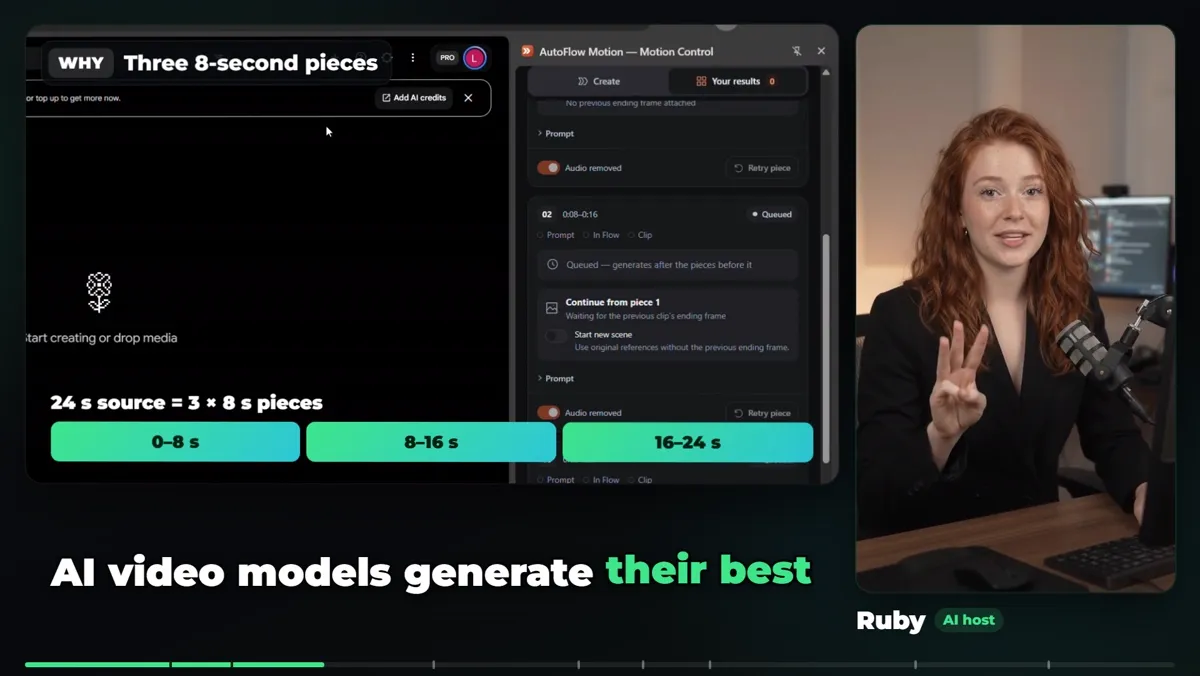
24 s source = three 8 s pieces.
Step 2: add your character turnaround sheet
Add a full turnaround sheet of your AI character: front, side and back, same face, hair and outfit. It locks her look in every piece.
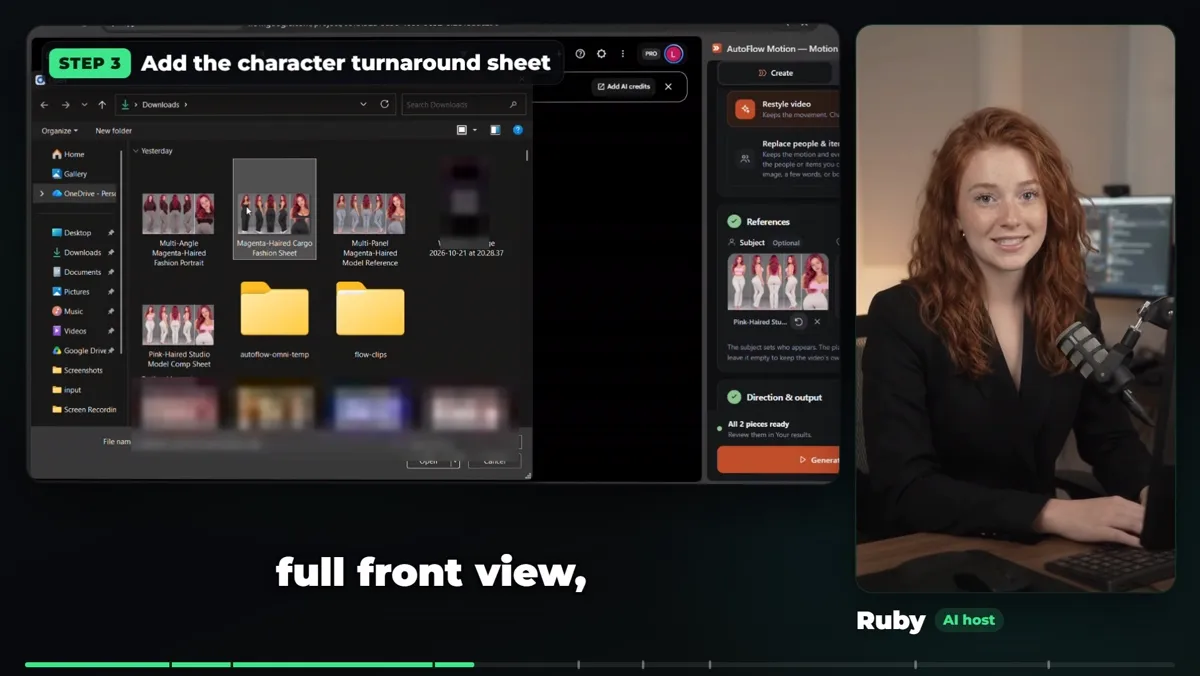
Add the character turnaround sheet.
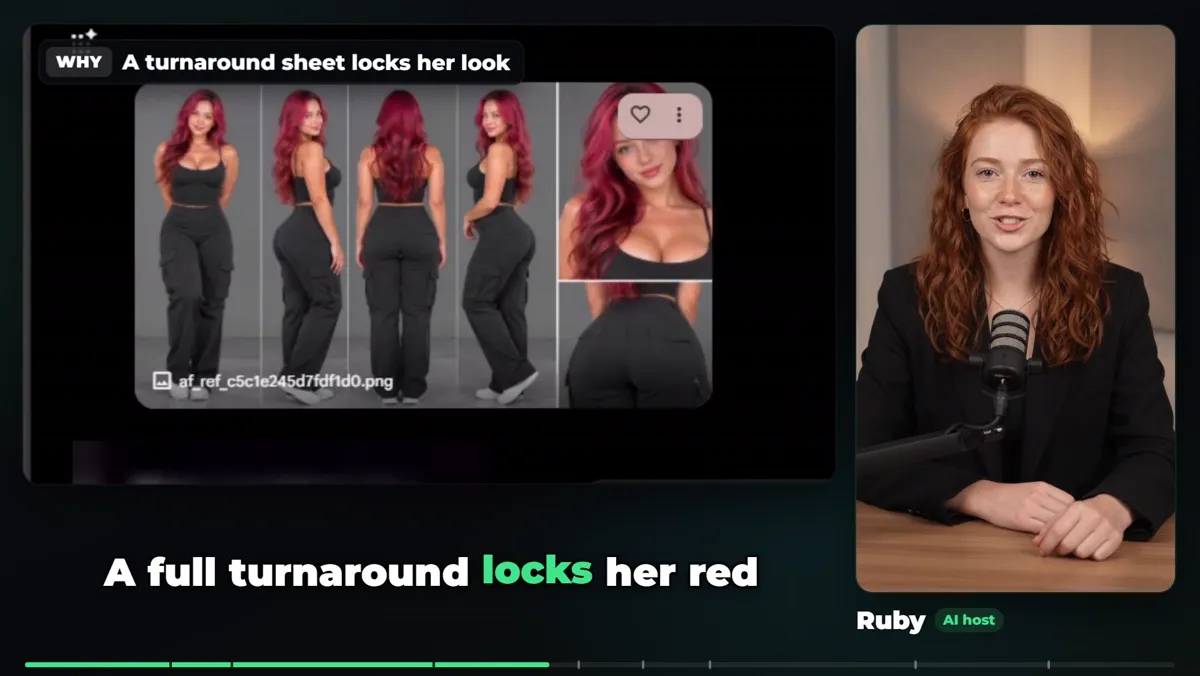
A turnaround sheet locks her look.
Step 3: keep clips consistent and remove the source audio
Turn on Keep clips consistent, which uses each clip's ending frame as a reference for the next, and Keep exact lip sync. Remove the source audio so only the new video comes back.
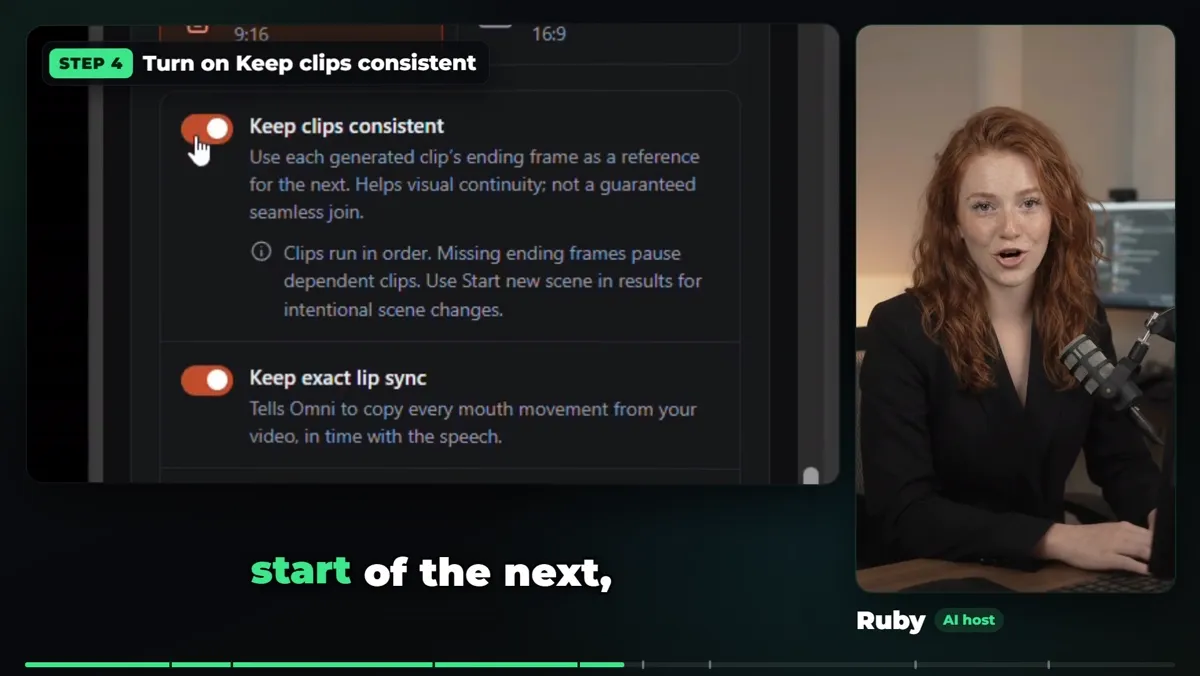
Keep clips consistent and lip sync on.
Step 4: generate with Gemini and Google Flow
Press the orange Generate button. Gemini acts as the director and writes the motion for each piece, and Google Flow renders them. The cloud render takes about ten minutes.
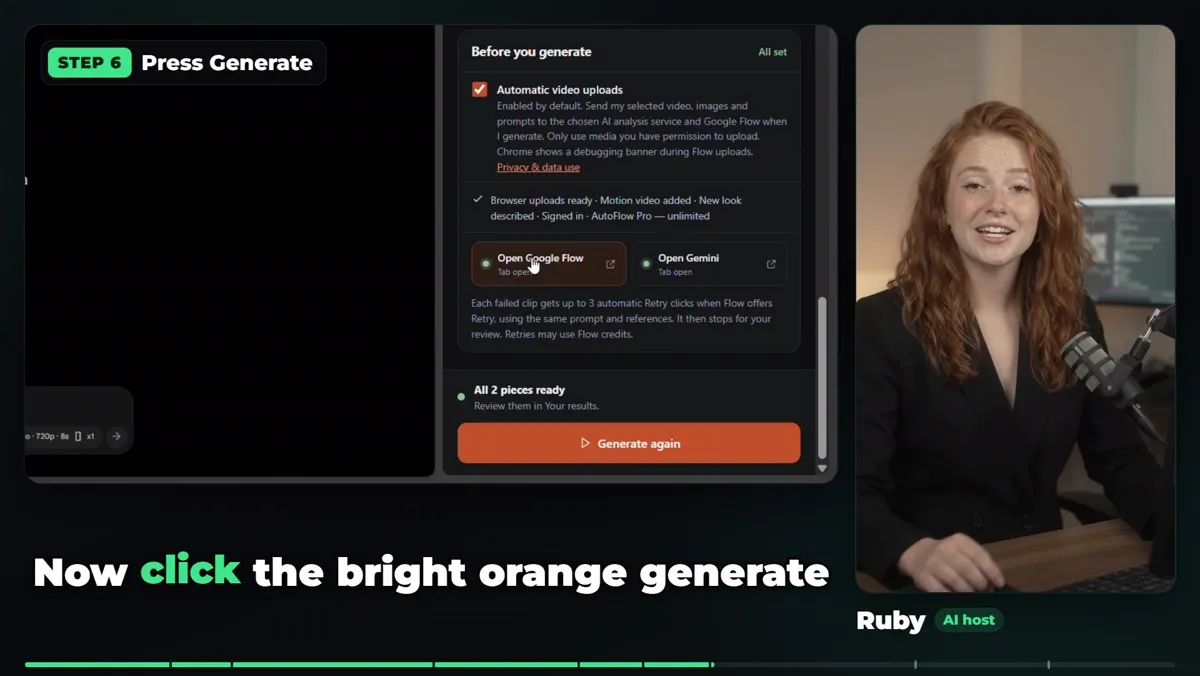
Press Generate.
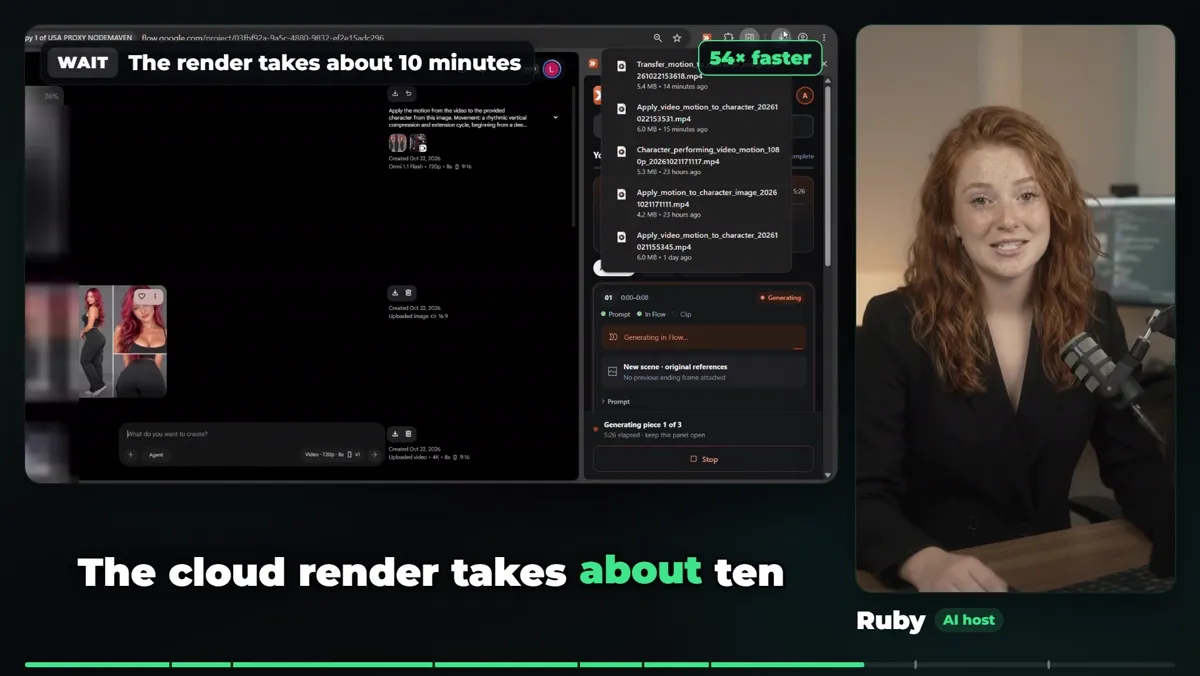
The render takes about ten minutes.
Step 5: download and organise
Download all the clips into a new subfolder. Number your folders by day so you always know which videos are posted.
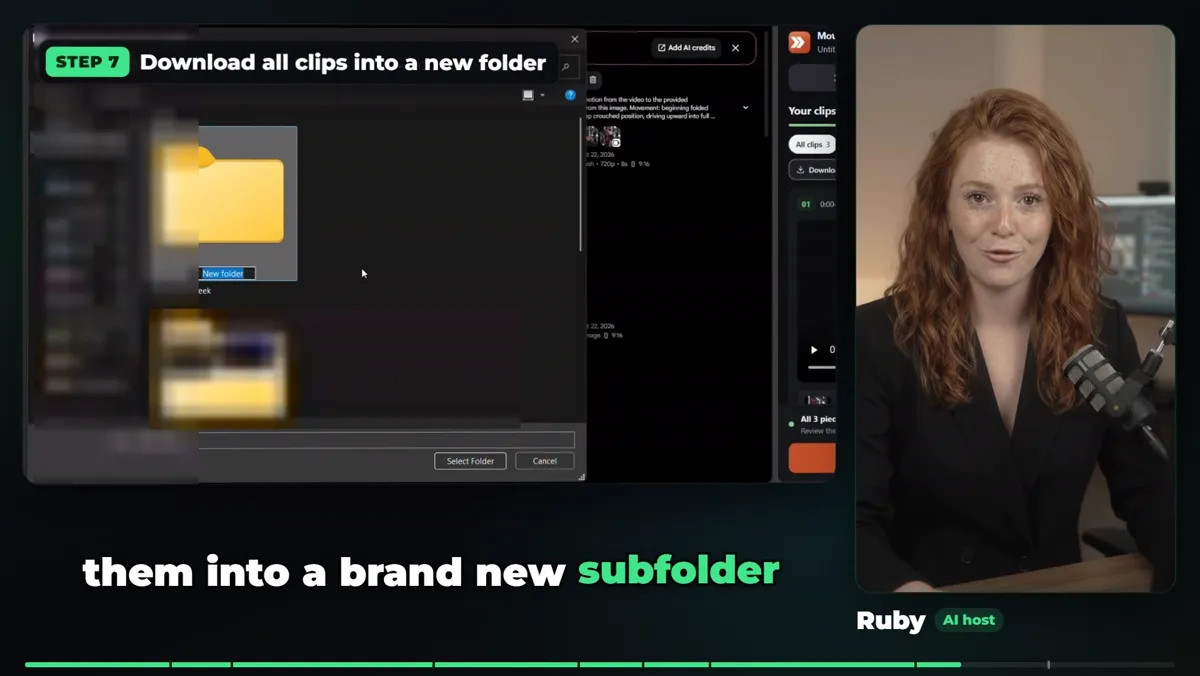
Download all clips into a new folder.
Step 6: transfer to your phone and post
Upload the folder to Google Drive, open it on your phone and post from the TikTok app. Posting from the app gives you TikTok's own sounds, captions and Shop product links.
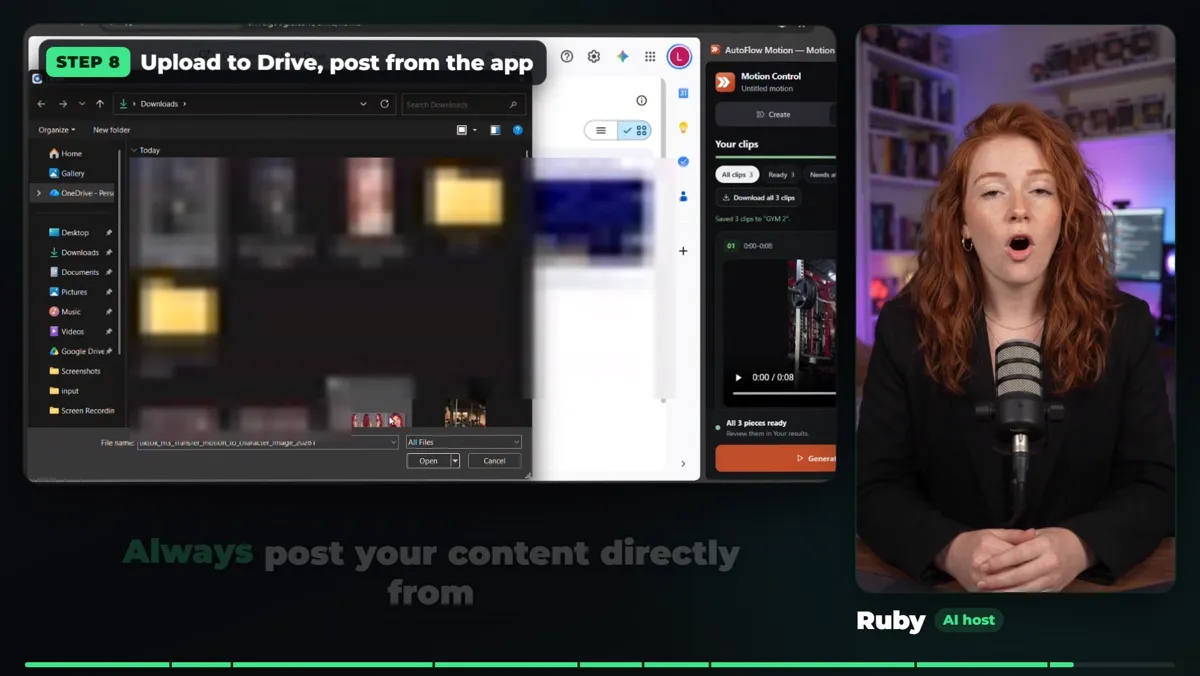
Upload to Drive, post from the app.
The 5-day content plan
- Day 1: choose motion footage you can use and prepare your AI character references.
- Day 2: set up AutoFlow Motion and generate your first batch of clips.
- Day 3: review character consistency and retry clips that need work.
- Day 4: organise your finished clips and prepare your posts.
- Day 5: transfer the videos to your phone, publish, and review what to make next.
❓ Frequently Asked
How do you make AI videos for TikTok Shop?
Start from a short video with the movement you want, give AutoFlow Motion a turnaround sheet of your AI character, and let it split the video into 8-second pieces, have Gemini direct each one, and generate them in Google Flow. Download the clips, move them to your phone and post from the TikTok app.
Can I run a faceless TikTok Shop account with AI?
Yes, an AI character can present your videos so you never show your face. TikTok asks you to label realistic AI content, represent products accurately and disclose promotions, and Shop approval is a separate step from making the videos.
Why split the video into 8-second pieces?
AI video models generate their best clips at about 8 seconds. A 24-second source becomes three 8-second pieces, and with Keep clips consistent on, each piece starts from the ending frame of the one before.
What is a character turnaround sheet?
One image showing your character from the front, the side and the back, with the same face, hair and outfit. It locks the look so every clip and every video shows the same person.
How long does it take?
The cloud render takes about ten minutes for a 24-second video. Setup is a few clicks once your character sheet is ready.
Use source footage you own or have permission to use. Ruby and the character clips are AI-generated. TikTok Shop approval, product choice and publishing are separate from making the videos.