Google Flow Batch Generation on Autopilot
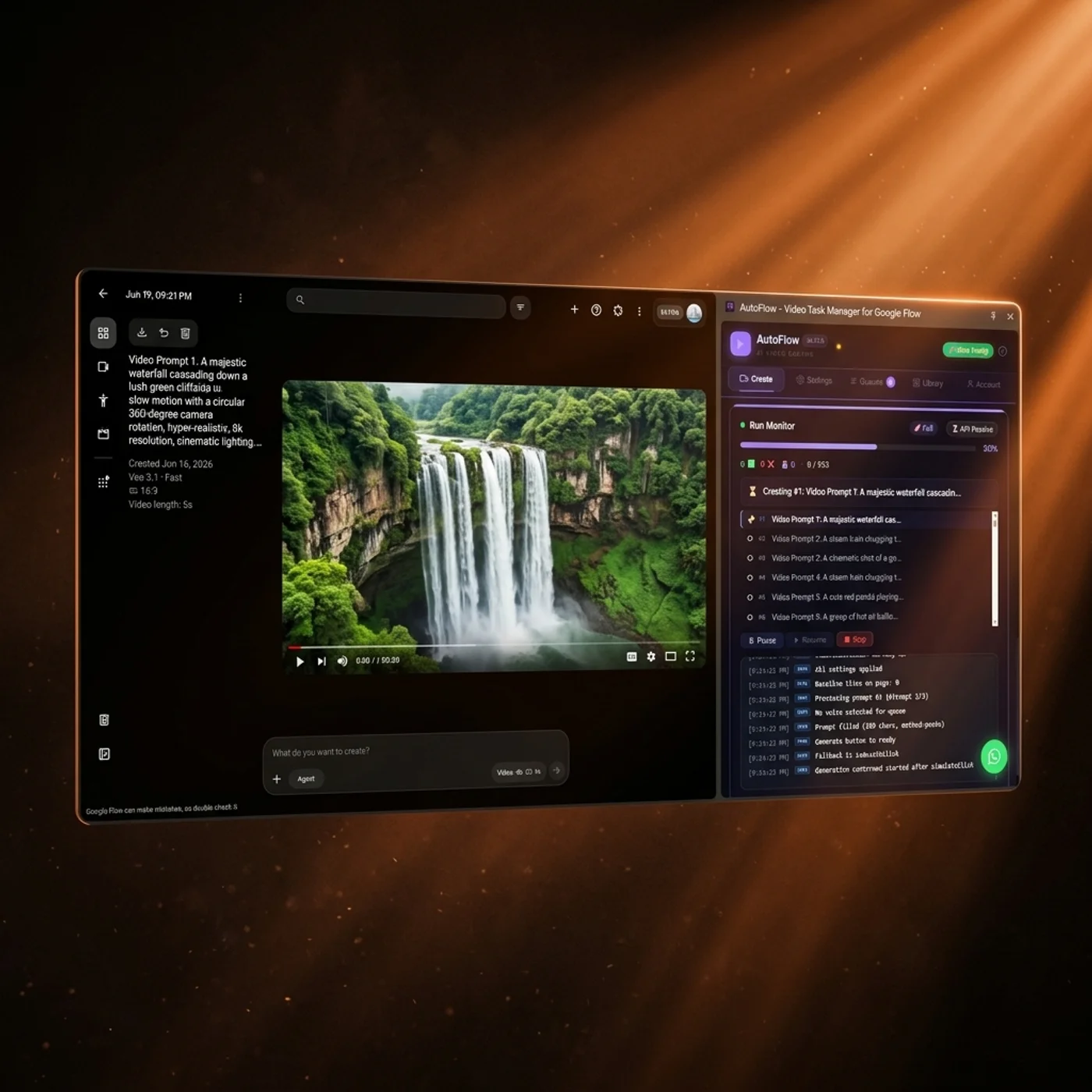
Paste 5, 50 or 500 prompts. The Queue Manager types them into Google Flow, retries failures and bulk-downloads every video in 4K — while you do something else.
4.65 / 5 on the Chrome Web Store · used by 3,750+ creators
Everything You Need to
Generate at Scale
AutoFlow supercharges Google Flow with powerful automation tools designed for professional creators.
Google Flow Batch Generator
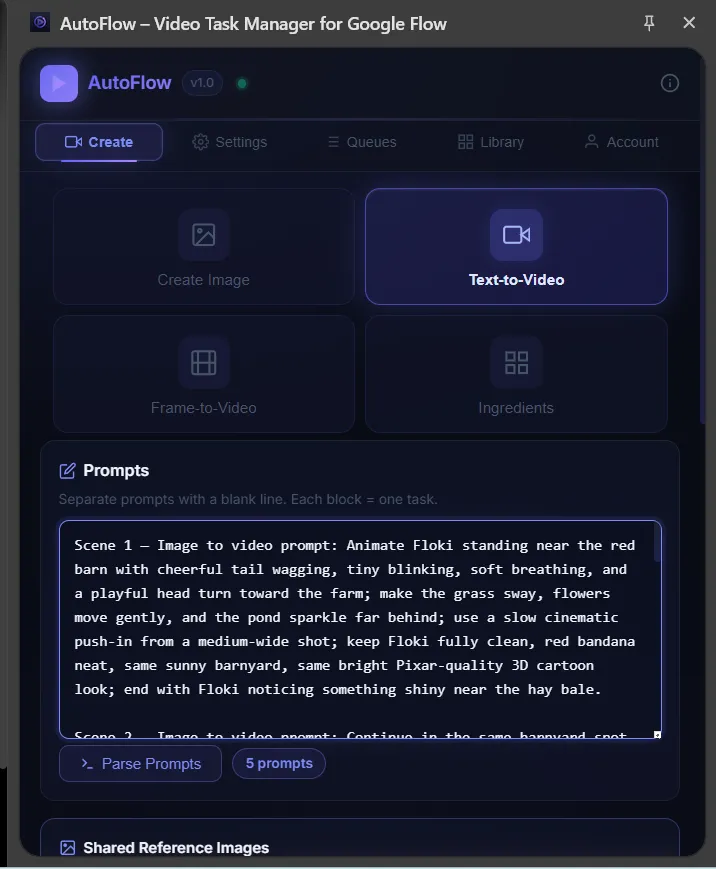
Stop copy-pasting prompts one by one. Paste your entire script — 5, 50, or 500 prompts — into our bulk editor to automate Veo video generation. AutoFlow instantly parses each block into a separate task.
- ✓ Auto-detects scene numbers
- ✓ Supports Text, Image & Ingredients mode
Reference Mapping
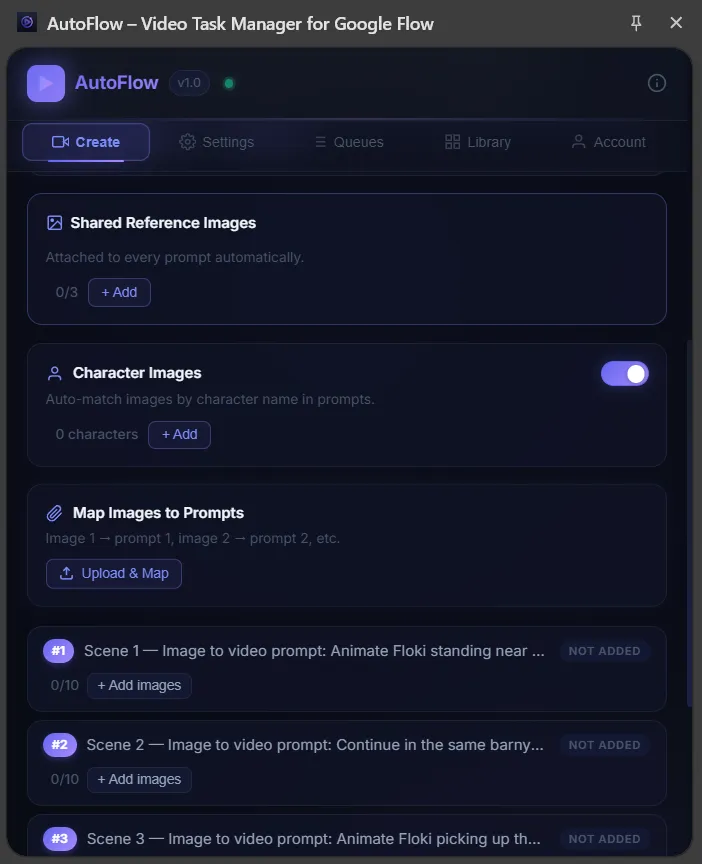
Attach reference images globally, or let AutoFlow automatically map character faces to specific scenes.
Smart Queues
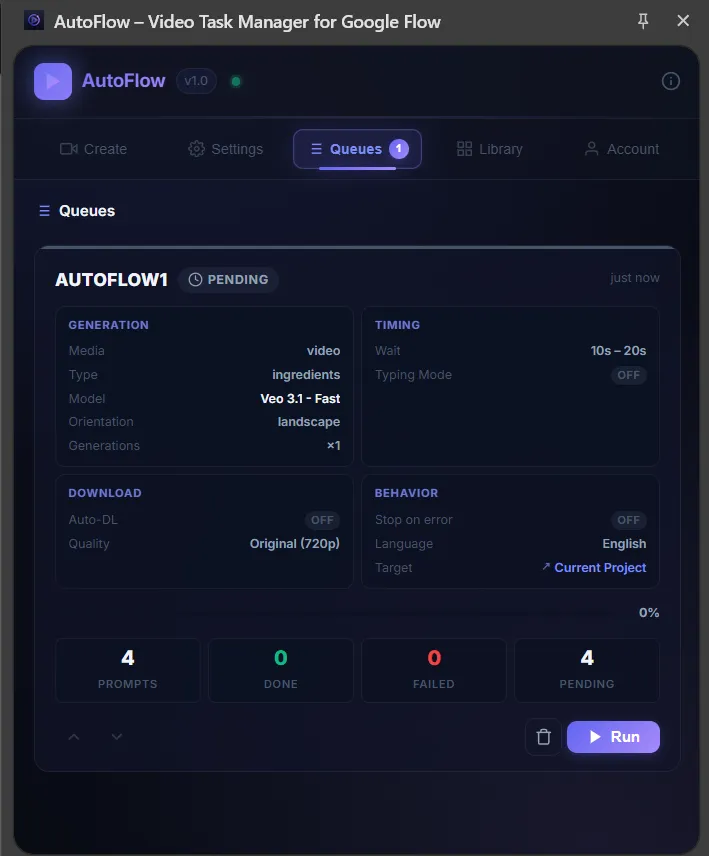
Create multiple queues with different configs (Veo 3, 1080p, 4K). Reorder them and run sequentially.
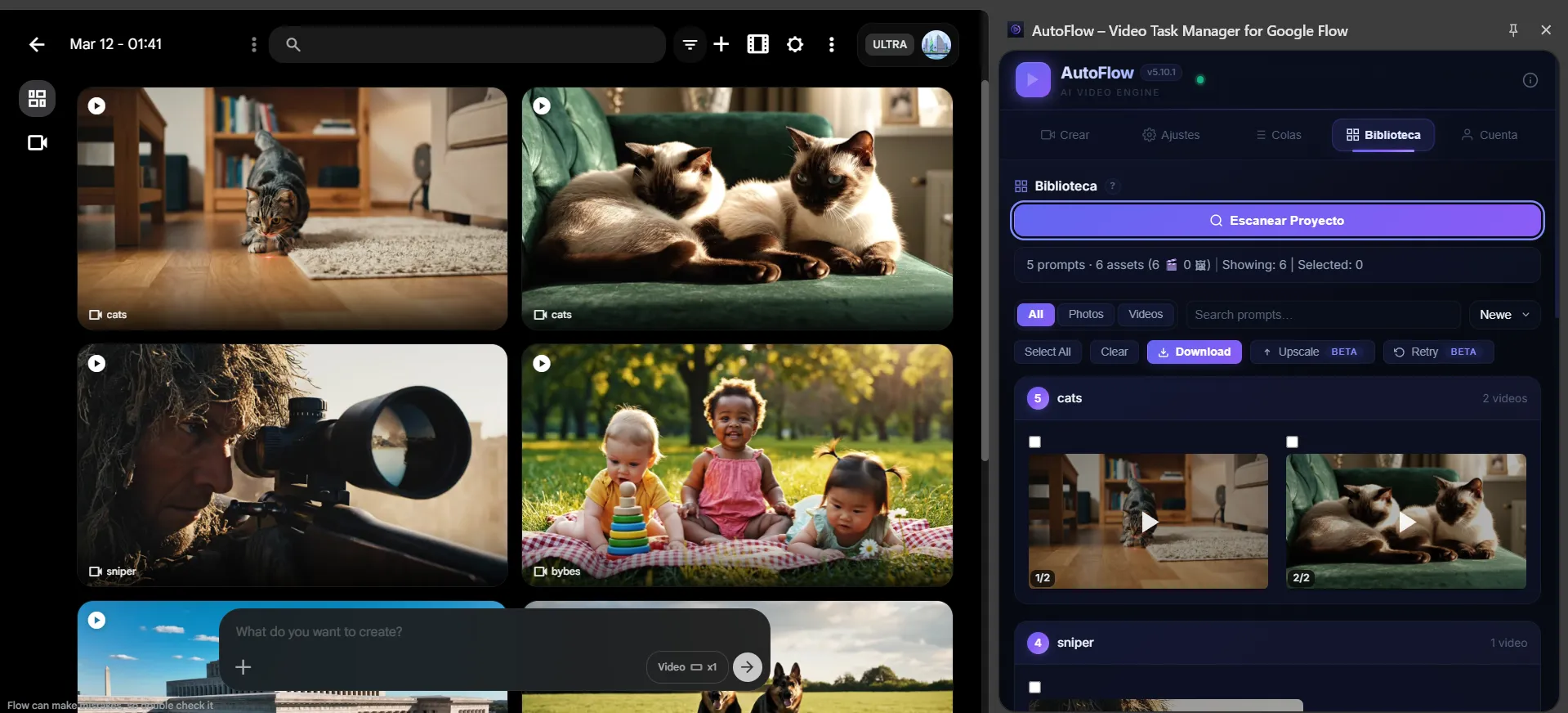
How to Download Veo Videos in 4K
Wondering how to download Veo videos in 4K easily? After generation, scan your project to see all videos grouped by prompt. Select your favorites and batch download everything in 4K with a single click.
- ✓ Grouped by prompt automatically
- ✓ Bulk upscaling and downloading
Three Steps to
Automated Generation
Get started in under a minute. No complex setup required.
Paste Your Prompts
Open AutoFlow's side panel on any Google Flow page. Choose your mode and paste all your prompts. Each paragraph becomes a separate task.
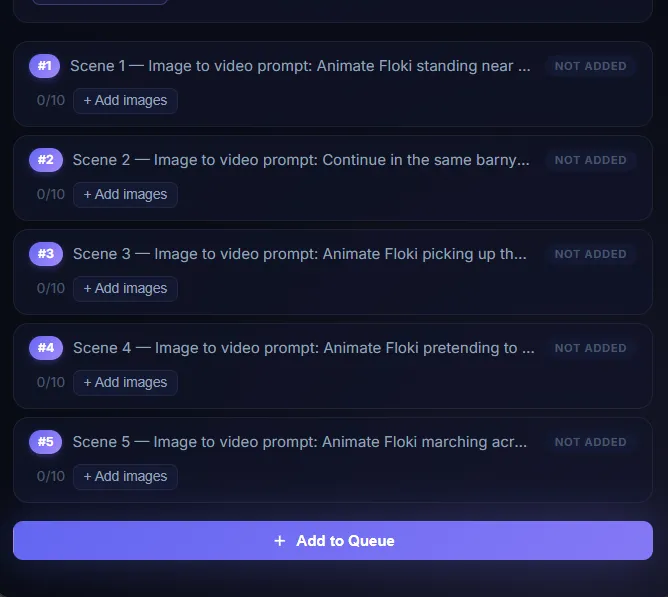
Configure & Run
Choose your video model, orientation, generation count, and download settings. Set your run target and hit Run.
Sit Back & Collect
AutoFlow types, clicks, waits, and downloads automatically. When it's done, batch download everything in 4K.
Set It Up Once,
Generate Endlessly
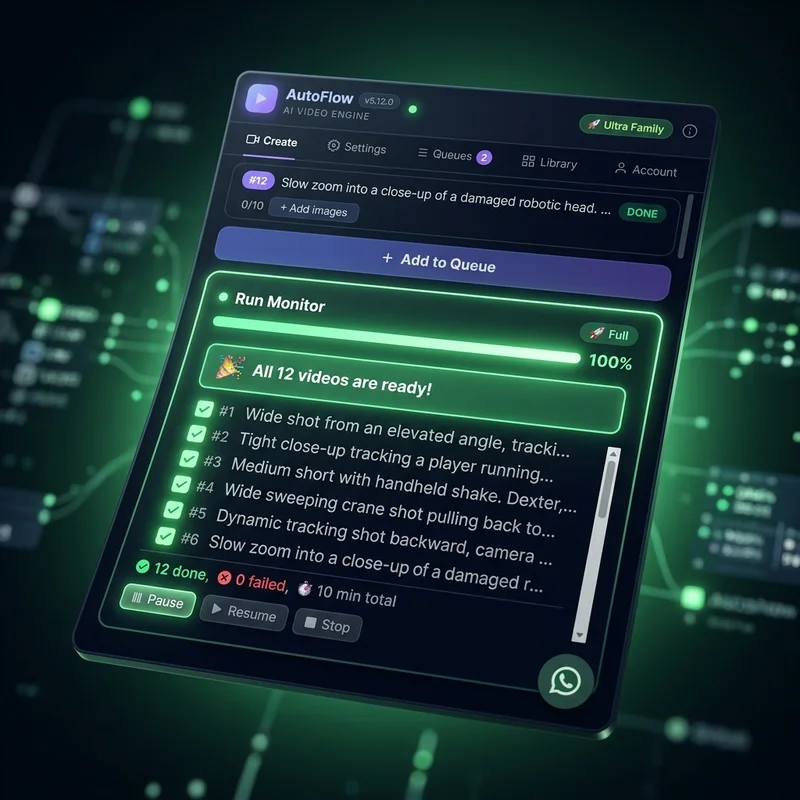
While you sleep, AutoFlow processes hundreds of prompts, retries failures, and downloads everything in 4K. Wake up to a folder full of ready-to-publish AI videos.
50 prompts a day and 20 image-to-video prompts a day.
Unlimited prompts, plus everything else in Pro: unlimited Studio runs and Motion jobs.