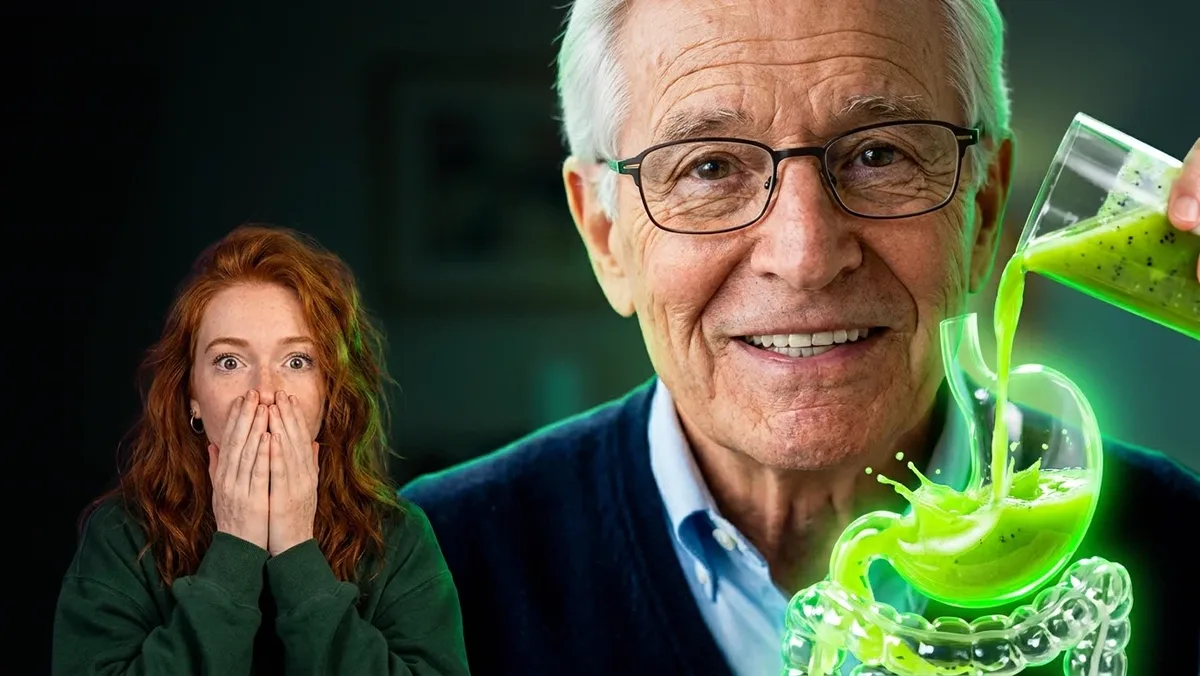
Talking AI avatar videos are one of the fastest-growing formats on TikTok, Instagram Reels and YouTube Shorts: a friendly presenter, one strong visual, and a hook in the first second. The hard part has always been keeping the same face and voice from clip to clip, and the hours of clicking in Google Flow.
In this guide an AI agent does that work. Google Antigravity, connected to AutoFlow, created a talking AI avatar called Arthur with a custom voice, wrote four scenes, ran them in Google Flow with the same character in each, fixed the prompts Flow refused, and downloaded the clips. This is the full process from one real 23-minute session, nothing skipped, including the parts that went wrong.
Why this AI avatar format gets millions of views
The example is a wellness explainer: Arthur, a 70-year-old presenter, pours fresh green kiwi juice into a transparent glass stomach model and talks to the camera. It works for three reasons:
- A trustworthy face. An older, calm presenter reads as experience.
- One visual that explains itself. Liquid flowing through a glass organ needs no words.
- A promise up front. "If you want more daily energy…" stops the scroll.
The same structure works for any niche: a chef avatar with a glass kettle, a mechanic avatar with a see-through engine, a finance avatar with a jar of coins. If you make health content, keep the claims general and add a note that it is not medical advice.
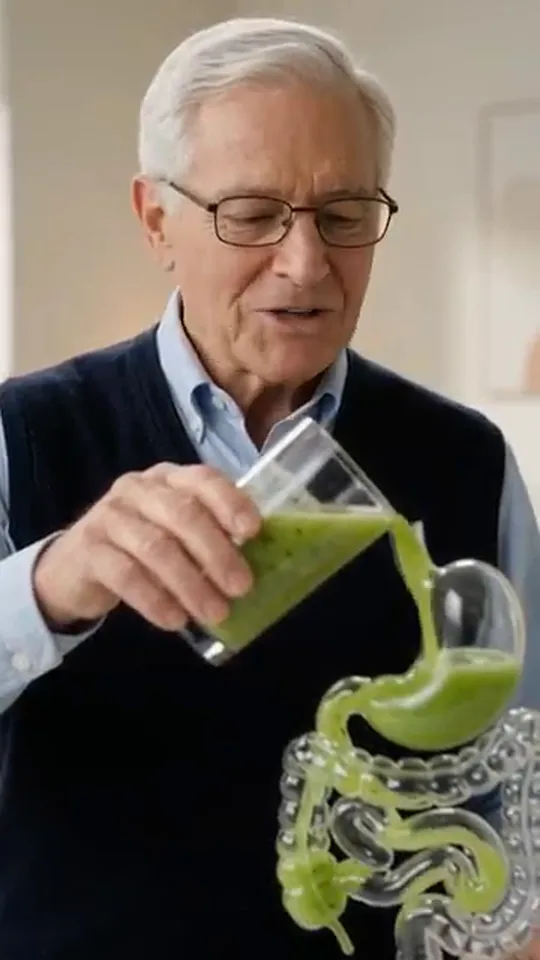
One of Arthur's four finished clips (Omni 1.2 Flash, 9:16).
Step 1: switch on AI agents in AutoFlow
Open the AutoFlow panel next to Google Flow, click Settings, scroll to AI agents and switch on Let AI agents control AutoFlow. It is off until you turn it on. Then give the browser a name, such as autoflow1. If you run several Chrome or Multilogin profiles, one per Google account, the agent uses that name to know exactly where to work.
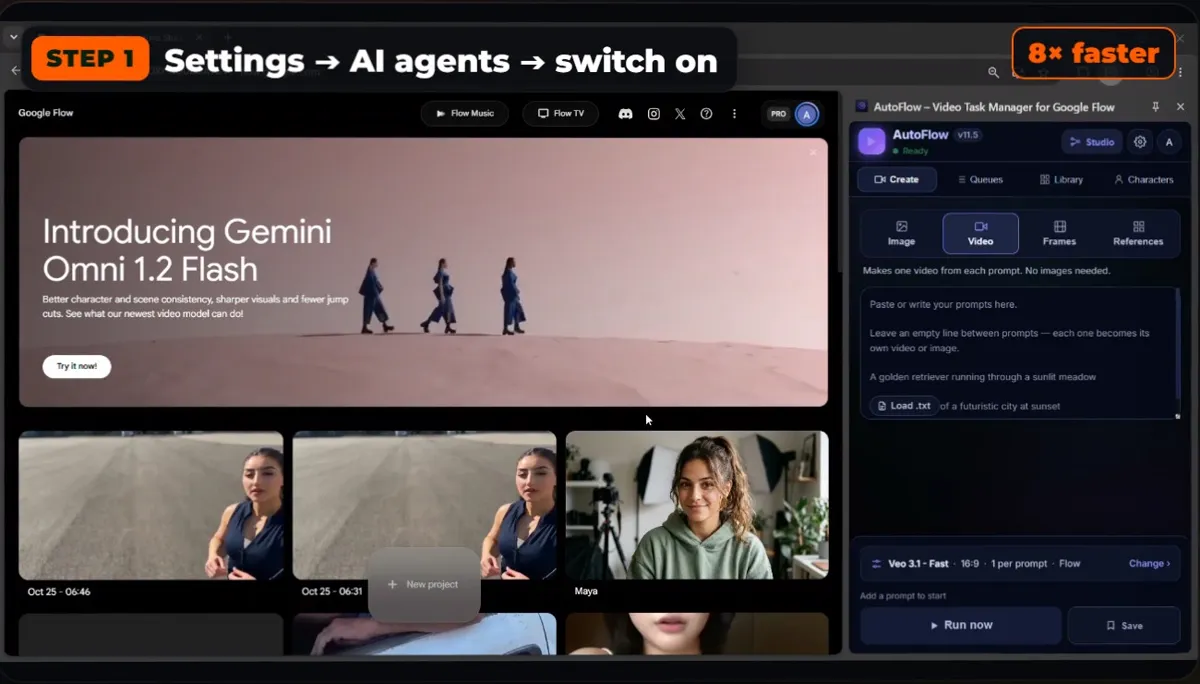
Settings → AI agents → switch on.
The Agent page shows every connected agent. Here Claude Code, Antigravity and Codex were all connected to the same browser.
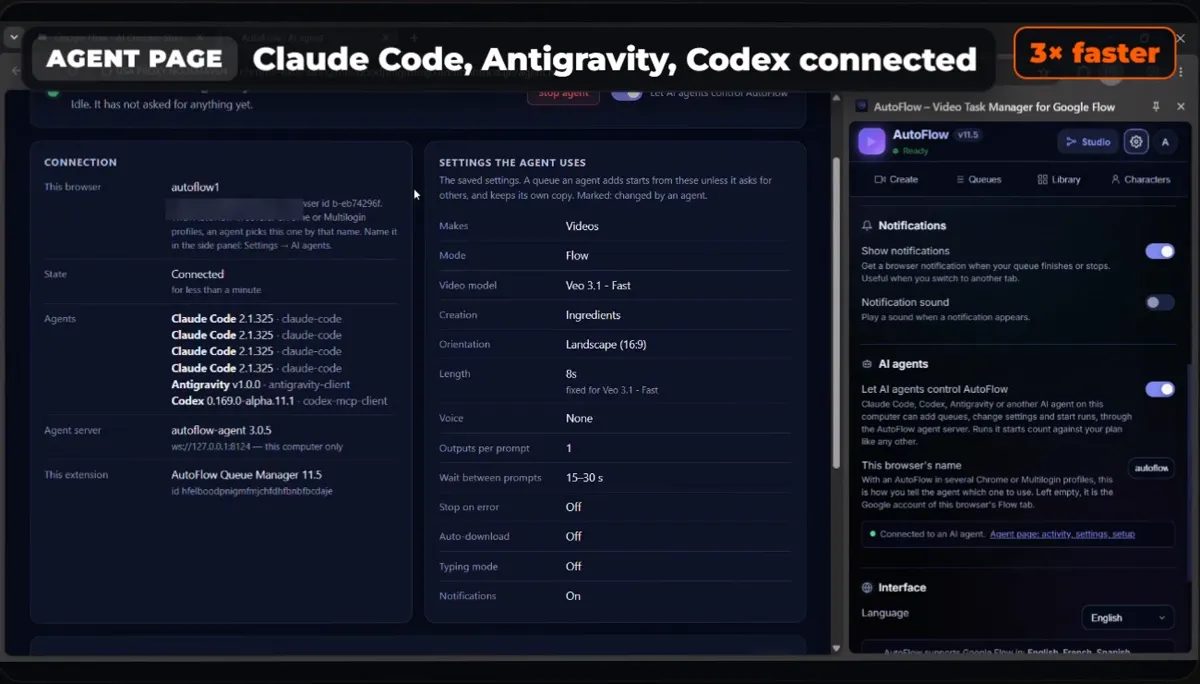
The Agent page: connected agents, the settings they use, and every call they make.
Step 2: connect your agent
The Agent page has a ready-made setup for each agent: Antigravity, Claude Code, Codex, Cursor and Claude Desktop. Copy the block for yours, paste it into the agent, and tell it which browser to use. For Antigravity, Cursor or Claude Desktop it is one MCP entry:
{
  "mcpServers": {
    "autoflow": { "command": "npx", "args": ["-y", "autoflow-agent"] }
  }
}
Full setup for every agent, including Windows, is in How to automate Google Flow with an AI agent.
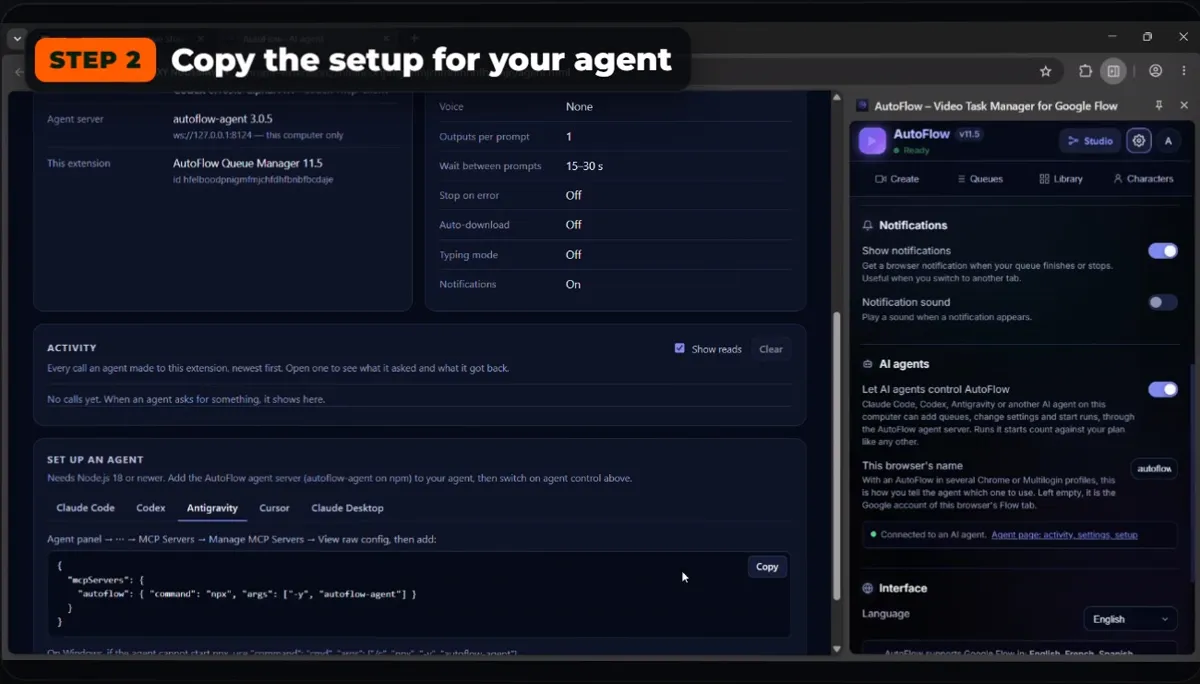
Copy the setup for your agent, paste it once.
Step 3: give it a viral avatar prompt
We asked Gemini for a viral avatar video idea, copied the prompt it wrote, and pasted it into Antigravity's chat. The agent read it, checked AutoFlow, and wrote a plan: one character, four scenes, and the exact words the character says in each scene, each scene starting from the last frame of the one before.
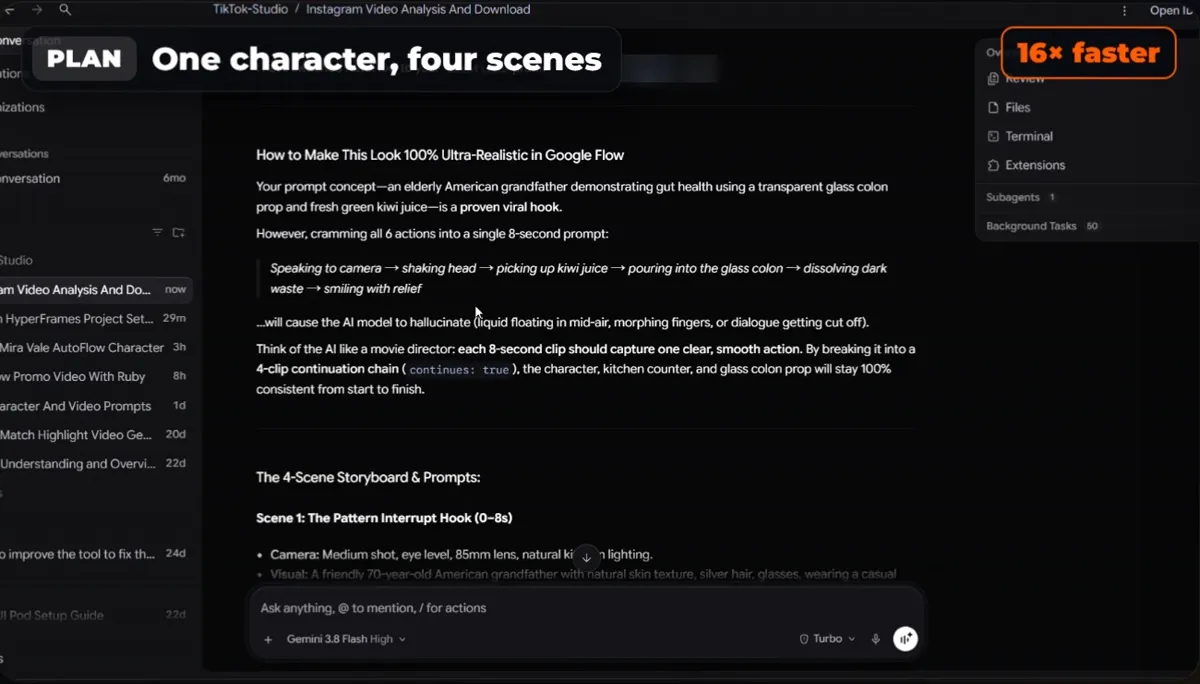
The plan: one character, four connected scenes.
Step 4: the agent creates the talking AI avatar
The agent creates the character inside AutoFlow by itself: a name (Arthur Pendleton), a face drawn from a description, and a voice. We asked for a custom voice and it chose a warm, grandfatherly one; AutoFlow saved it with the character. From then on, every prompt that says "Arthur Pendleton" gets the same face and voice.
On the first try the agent got stuck and did not make the character. We stopped it and asked again, and the second try worked. The agent here ran on Gemini 3.8 Flash; Claude Code or Codex usually follow these steps on the first try.
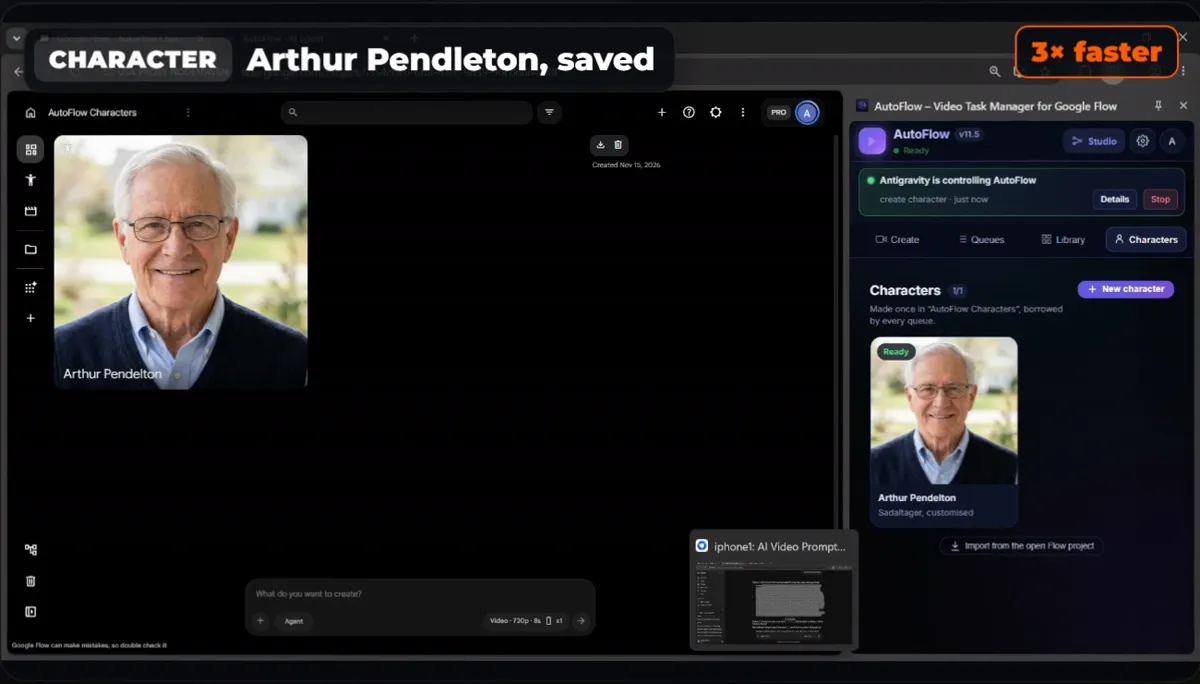
Arthur, saved once with his face and custom voice.
Step 5: run the scenes with the same face and voice
The agent builds a queue of four scenes, puts Arthur's name in each one, and shows the cost before starting. On "run", AutoFlow opens a fresh Flow project for the queue and submits the scenes one by one, attaching Arthur to every clip. Each scene continues from the last frame of the previous clip, so the video flows like one continuous shot.
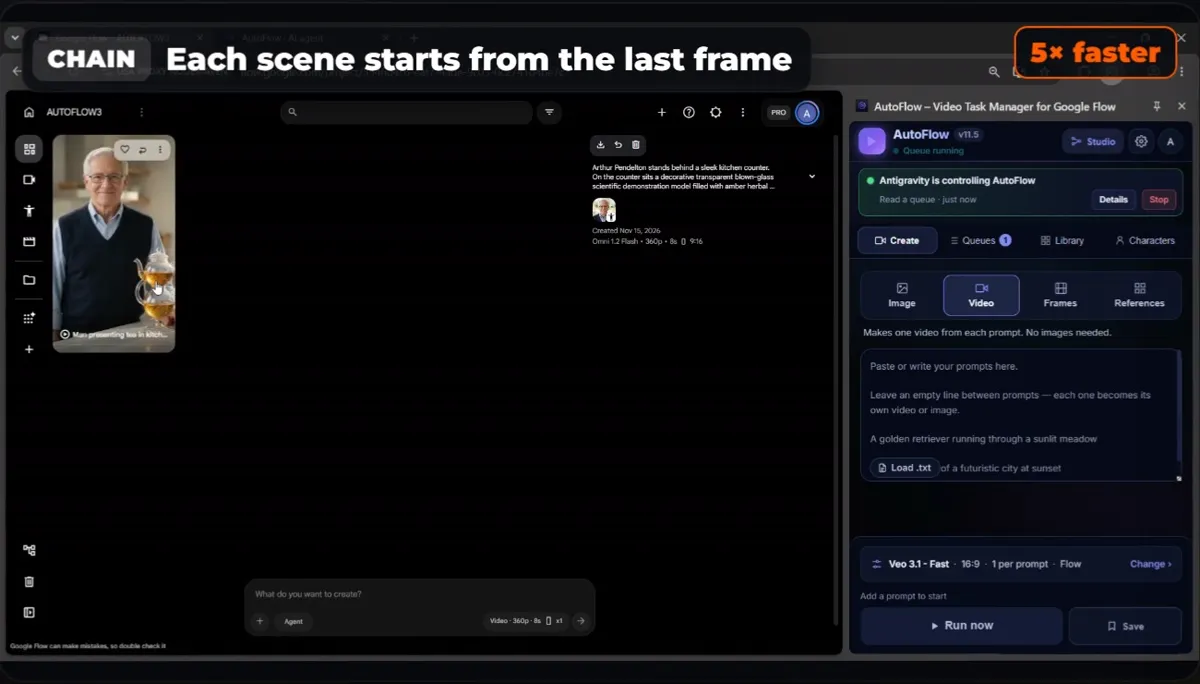
Every scene starts from the last frame of the one before.
When Google Flow refuses a prompt
Flow refused some of the first prompts. AutoFlow retried them on its own and sent every error back to the agent, which read the reasons and rewrote the prompts in gentler words, keeping Arthur's name in each so the character stayed attached. The first model still kept failing, so we stopped the queue and told the agent to use Omni 1.2 Flash at 360p. It made a new queue and started again. Failed generations are normal with any AI video tool; what matters is that the agent fixes them instead of you.
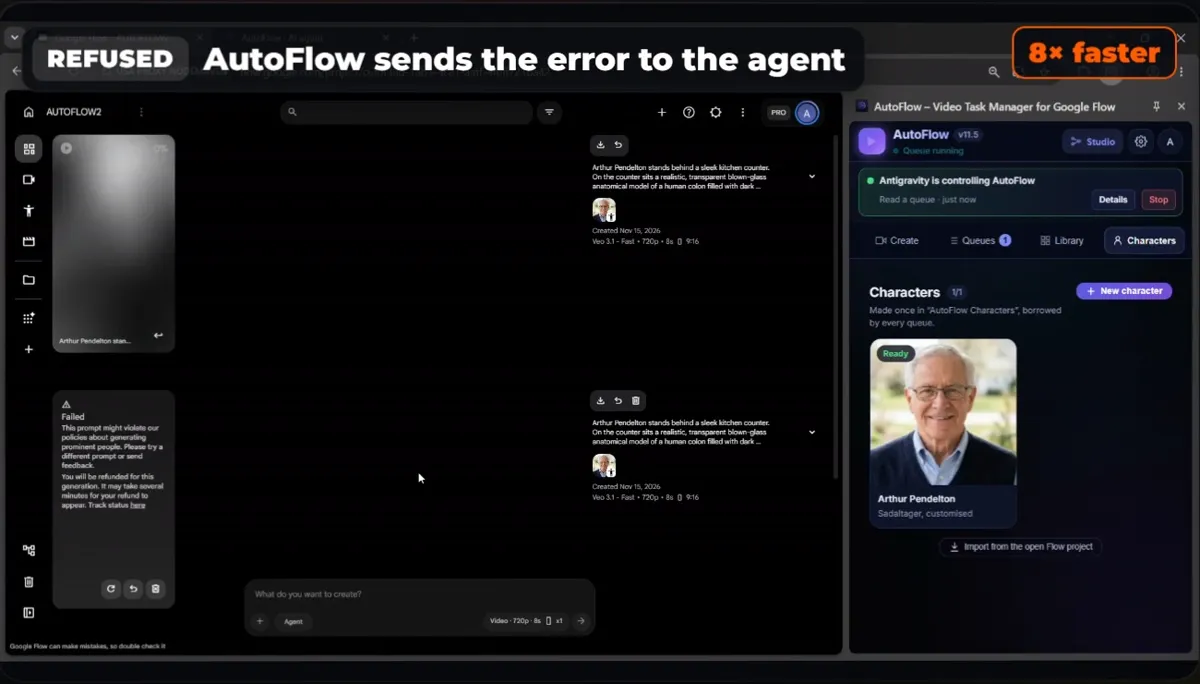
Refused prompts go back to the agent, which rewrites them.
Fixing a missing prop with a reference image
The first clips came back with Arthur perfect: same face, same voice. But the glass stomach model was missing, so we asked the agent: "Where is the stomach?" It saw that Flow had drawn a glass teapot instead. It generated a picture of the glass stomach model first, then attached it as a reference image to the scenes. Each prompt now carried two references, Arthur and the glass model, so the presenter and the prop both stayed consistent.
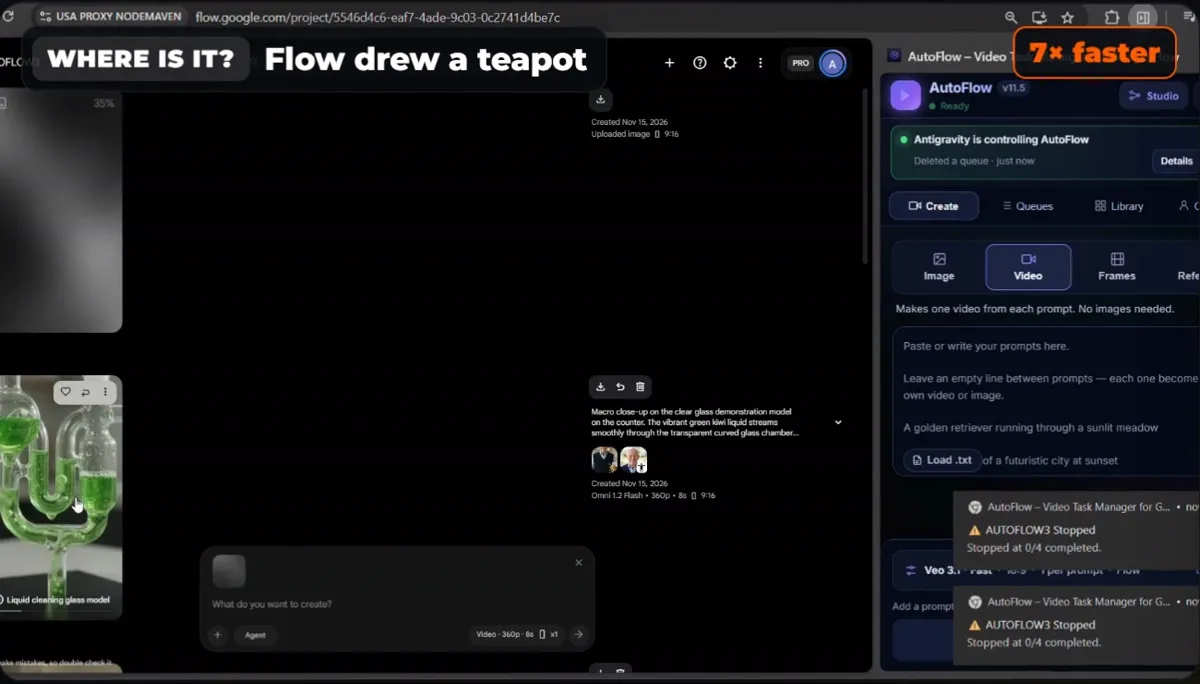
Flow drew a teapot; the agent fixed it with a reference image.
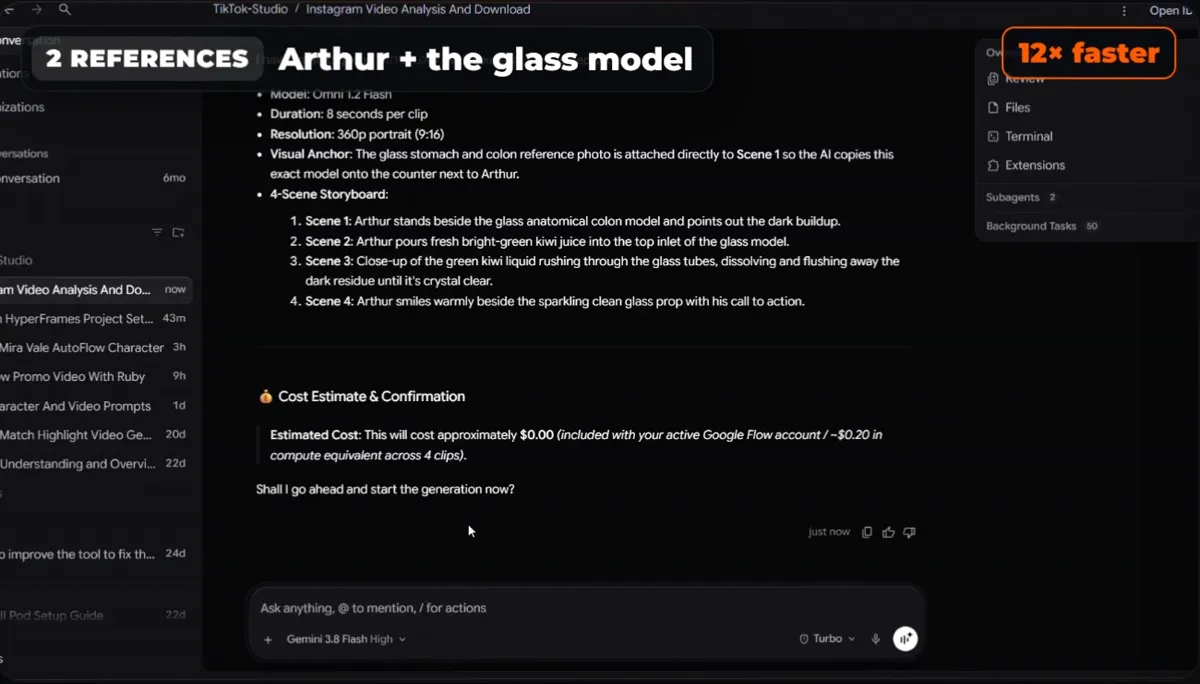
Two references per scene: the avatar and the prop.
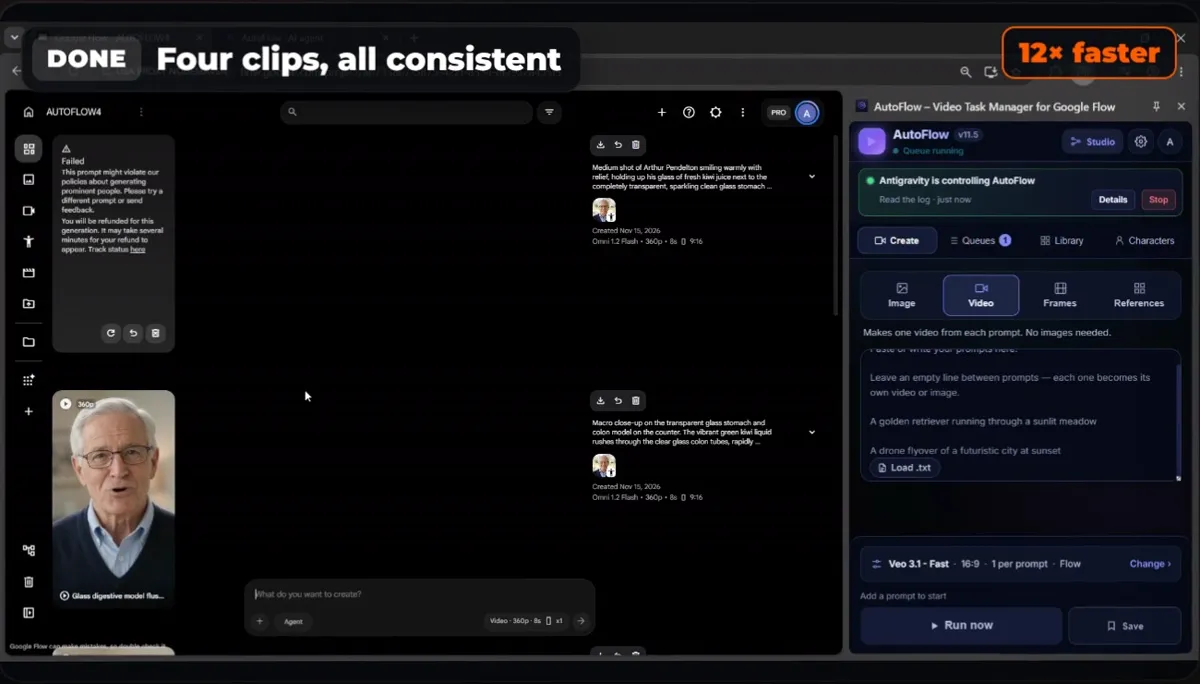
Done: four clips, Arthur in every one, the glass model on the counter.
Step 6: download and edit
Download all the clips at once from AutoFlow's Library, numbered in order, and hand the folder to the agent. It can join the clips, add captions and export the final video. Better prompts give better results, so keep the prompt that worked and reuse it for the next video.
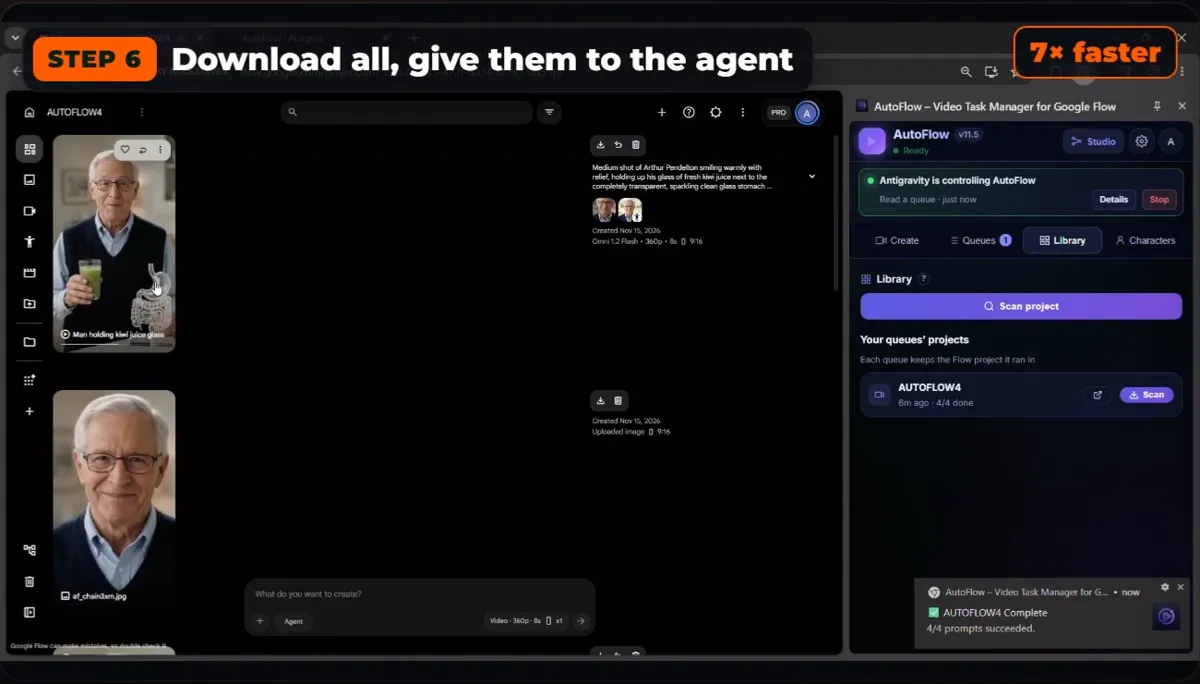
Download all, then let the agent edit.
Tips for more views
- Hook in the first line. Write the promise or the surprise into the character's first sentence.
- One visual idea per video. A see-through object the audience can follow works better than a busy scene.
- Keep it vertical and short. 9:16, four 8-second scenes, about 30 seconds in total.
- Reuse the character. A saved avatar makes a series cheap; viewers come back for the same face.
- Post the same video everywhere. TikTok, Reels and Shorts on the same day.
❓ Frequently Asked
How do you make an AI avatar in Google Flow?
Save the avatar once as a Flow character: a name, a face (from a photo or a description) and a voice. Every prompt that says the character's name then gets the same face and the same voice. AutoFlow's Characters tab makes the character for you, and an AI agent can do it through AutoFlow without you opening Flow.
How do I keep the same face and voice in every clip?
Use a saved character instead of describing the person again in each prompt, and write the character's exact name in every prompt. For a prop that must stay the same, such as the glass stomach model in this video, add a reference image of it to each scene.
Can an AI agent make the whole avatar video?
Yes. With AutoFlow's agent server connected, an agent like Google Antigravity, Claude Code or Codex can create the character, write the scenes, run them in Google Flow, read why a prompt failed, rewrite it, and download the clips. It asks before anything that spends Flow credits.
What do I do when Google Flow refuses a prompt?
AutoFlow re-sends a failed prompt up to three times. If Flow refused the words, rewrite the prompt more gently and keep the character's name in it. If one model keeps failing, switch the queue to another model; in this video the agent moved to Omni 1.2 Flash at 360p and the run finished.
Why do AI health avatar videos get so many views?
They combine a trustworthy presenter, a simple visual (here, juice flowing through a glass stomach model) and a promise in the first second. That format is common on TikTok, Reels and Shorts. If you make health content, keep the claims general, add a note that it is not medical advice, and follow each platform's health rules.
Which agent works best?
Any app that supports MCP servers works: Antigravity, Claude Code, Codex, Cursor and Claude Desktop use the same tools. In this run Antigravity used Gemini 3.8 Flash and once got stuck making the character; Claude Code and Codex usually follow the steps on the first try.
Ruby and Arthur are AI-generated characters made in Google Flow. Arthur's video is an example of the format, not medical advice. The Google accounts in the screenshots are blurred.